
iFrame Cards
Access
- Under the Kanban or List zone, click the Board Settings at the top/left.
- From Board Settings, click the Card iFrame under the For Administrator section.
Configure
As shown in the screenshot below from Board Settings, you can enable the first or last column on a board to hold iFrame cards.
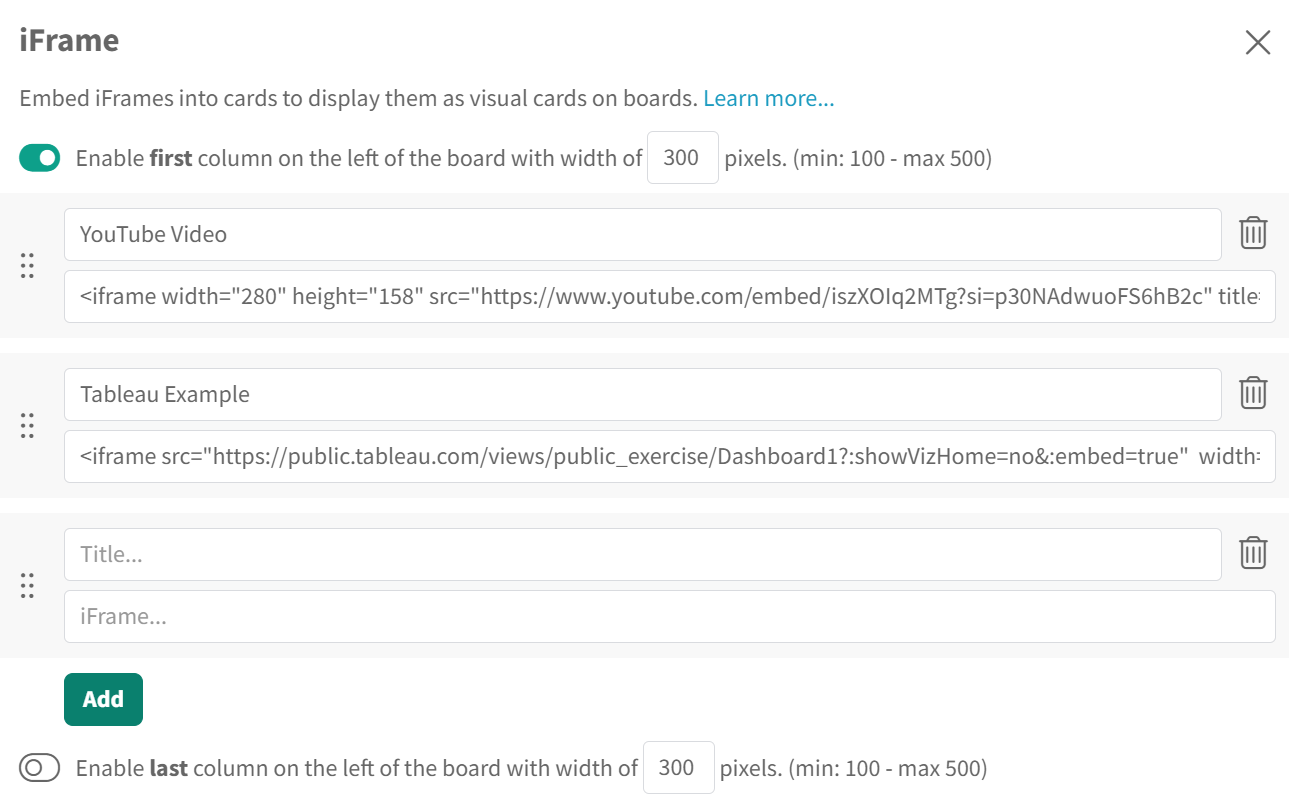
Once you enable one or both columns, you can click Add to add the iframe in that column. All you need is a title for that iframe and the iframe code.
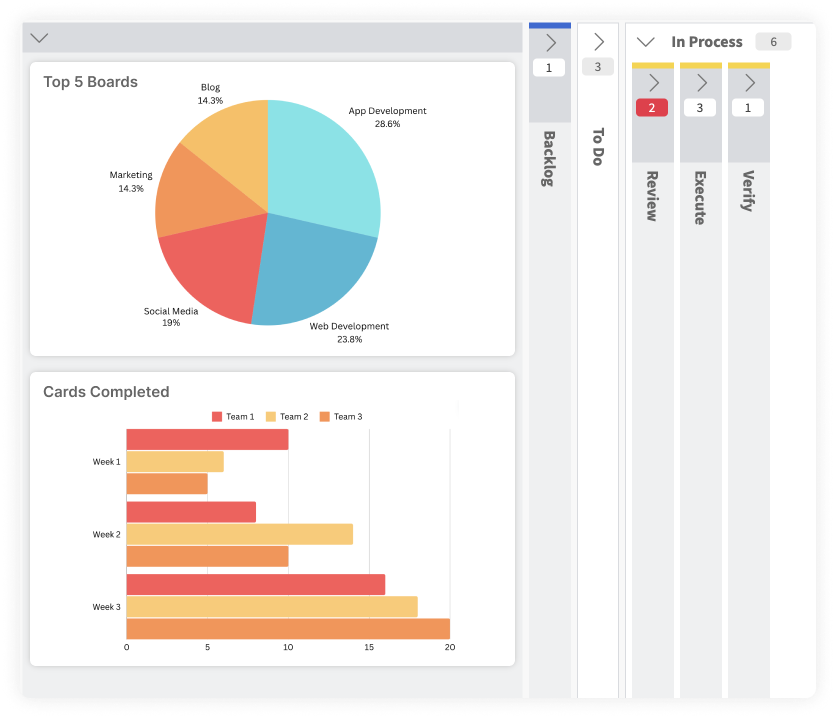
The screenshot below shows what multiple iframe cards look like on a board in both the first and last column of a board.
Did this answer your question?